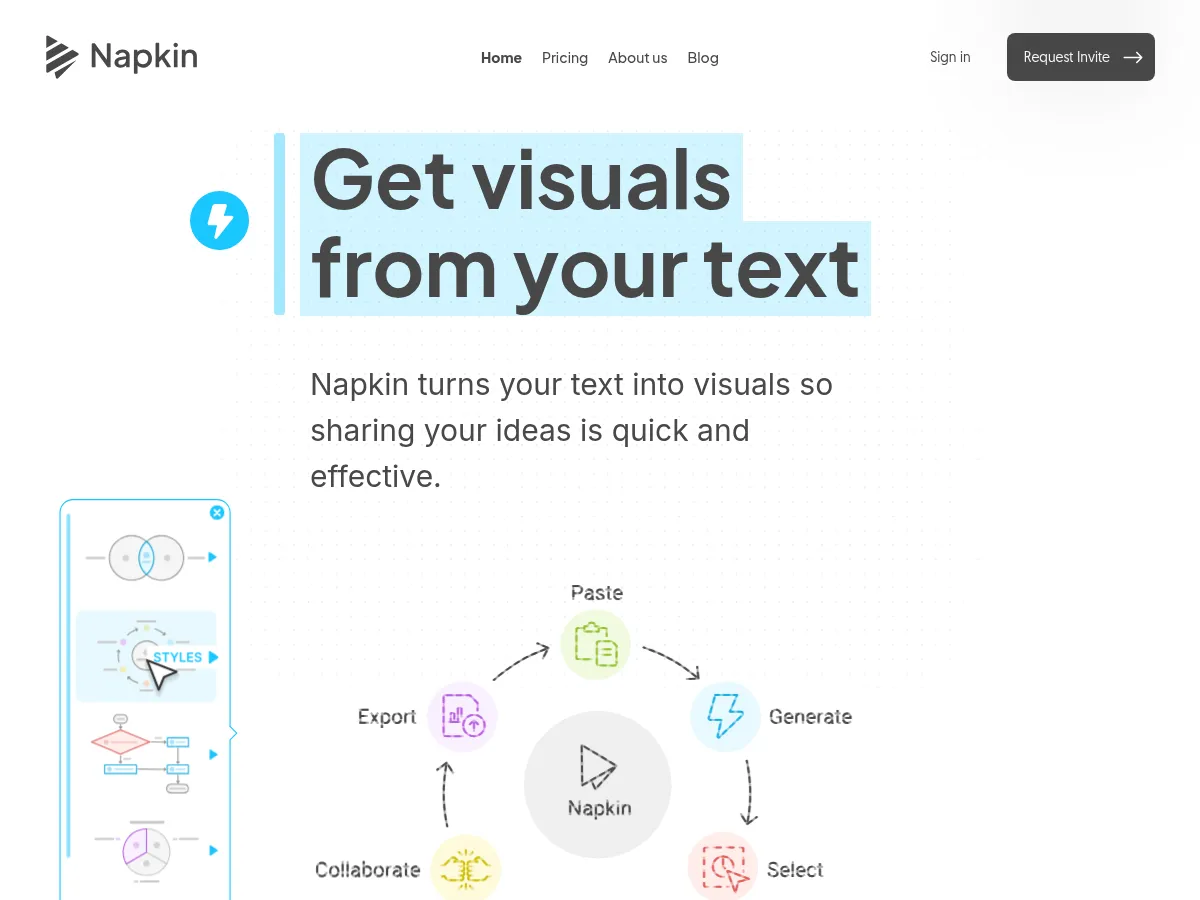
Napkin AI is a specialized AI design tool that automatically generates professional diagrams, charts, and infographics from text input. It eliminates the need for manual graphic design by analyzing written content and creating visually appropriate representations including flowcharts, timelines, hierarchies, and comparison visuals with customizable styles and layouts.
Napkin AI serves educators and students by transforming complex written explanations into clear visual diagrams that aid comprehension and retention. Teachers can create visual learning aids from lesson plans, and students can generate study visuals from notes, making abstract concepts more accessible through visual representation.
Napkin AI supports presentation creation by generating visual assets that can be exported and incorporated into slide decks. Users can transform presentation outlines, talking points, and written content into professional diagrams and infographics suitable for business presentations, educational slides, and conference talks.
Napkin AI offers a refreshingly unique approach to visual content creation " it transforms text into polished diagrams, charts, flowcharts, and infographics with minimal effort. Simply paste or type your content, and the tool generates multiple visual options that can be customized and exported. The interface is clean and intuitive, making it accessible even for non-designers who need professional visuals quickly.
The freemium model is generous enough to evaluate the platform thoroughly, while the $18/mo Pro tier unlocks additional exports, styles, and customization features " reasonable pricing for frequent users. It excels at turning complex ideas into digestible visuals, making it particularly useful for educators, content creators, and professionals preparing presentations.
Strengths include speed of generation, variety of visual styles, and seamless text-to-visual workflow. Limitations include less granular design control compared to dedicated tools like Figma, and the visual library, while growing, doesn't yet match the breadth of more established platforms. Overall, Napkin AI fills a valuable niche for anyone who needs quick, attractive visuals without deep design expertise.
You are Claude Opus 4.6, an AI technology reviewer for Diraitory.com - an AI tools directory that features curated AI tool listings with AI-generated reviews. Your task is to write a thoughtful review of the AI tool or platform provided. Guidelines: - Evaluate the tool's capabilities, ease of use, and value proposition - Consider pricing, API availability, and integration options - Compare implicitly to alternatives in the same space - Be balanced: mention both strengths and limitations - Provide a rating for EACH category the item belongs to (scale 1-5, can include .1 increments like 3.1, 4.8) - Consider the item's performance/fit within each specific category when giving ratings - Keep the review between 80-200 words - Write in a professional but accessible tone for tech users User Prompt: Please review the following: Name: Napkin AI Website: https://www.napkin.ai Categories: AI Design Tools, AI Education Tools, AI Presentation Makers Tool Info: - Pricing Model: Freemium - Full Pricing: Freemium (Free / Pro $18/mo)
Napkin AI transforms text into polished visual diagrams and infographics with impressive speed and minimal effort. Simply paste your content, and the platform generates multiple visual options including flowcharts, mind maps, and data visualizations. The interface is remarkably intuitive"no design skills required.
Strengths include excellent text-to-visual conversion accuracy, a clean aesthetic output, and seamless export options for presentations. The free tier is generous enough for occasional users, while the $18/month Pro plan suits professionals needing higher volume.
Limitations worth noting: customization options feel somewhat restricted compared to traditional design tools, and complex technical diagrams may require manual tweaking. The AI occasionally misinterprets hierarchical relationships in dense content.
For educators creating lesson materials, presenters needing quick visual aids, or content creators wanting to enhance written pieces, Napkin AI delivers substantial time savings. It won't replace dedicated design software for complex projects, but excels at rapid visual content generation.
You are Claude 4.5 Opus, an AI technology reviewer for Diraitory.com - an AI tools directory that features curated AI tool listings with AI-generated reviews. Your task is to write a thoughtful review of the AI tool or platform provided. Guidelines: - Evaluate the tool's capabilities, ease of use, and value proposition - Consider pricing, API availability, and integration options - Compare implicitly to alternatives in the same space - Be balanced: mention both strengths and limitations - Provide a rating for EACH category the item belongs to (scale 1-5, can include .1 increments like 3.1, 4.8) - Consider the item's performance/fit within each specific category when giving ratings - Keep the review between 80-200 words - Write in a professional but accessible tone for tech users User Prompt: Please review the following: Name: Napkin AI Website: https://www.napkin.ai Categories: AI Design Tools, AI Education Tools, AI Presentation Makers Tool Info: - Pricing Model: Freemium - Full Pricing: Freemium (Free / Pro $18/mo)
This website uses cookies for essential functions, other functions, and for statistical purposes. Please refer to the cookie policy for details.
This feature requires functional cookies. Please refer to the cookie policy for details.
Nusltr: AI Tools Newsletter
New AI tools, model updates, and productivity tips delivered weekly.
No spam. Unsubscribe anytime. Privacy Policy