Galileo AI
เกี่ยวกับ
เครื่องมือสร้างแอป AI
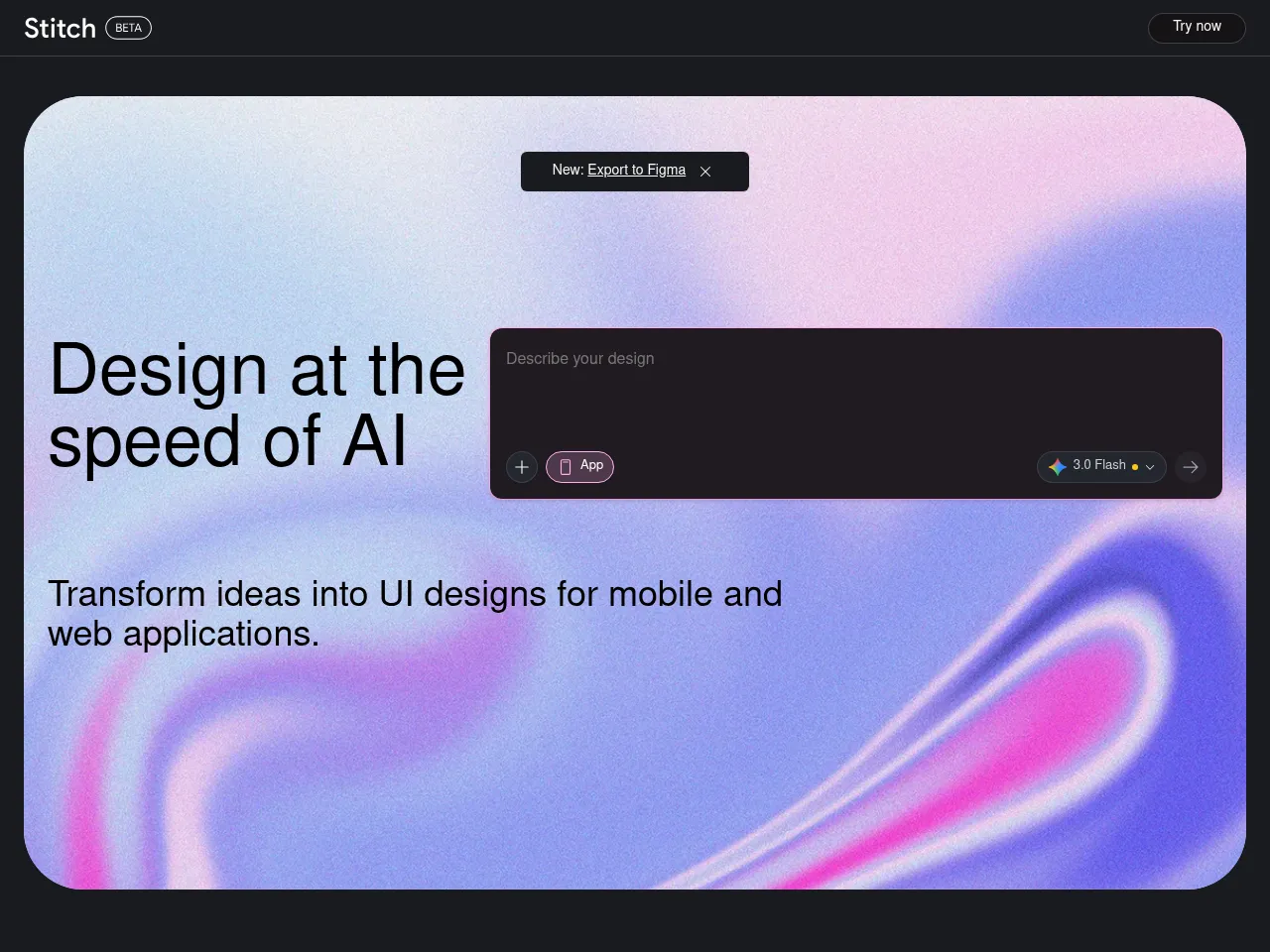
Galileo AI เร่งความเร็วของกระบวนการพัฒนาแอปพลิเคชันโดยสร้างการออกแบบ UI ที่มีรายละเอียดและมีความแม่นยำของคอมโพเนนต์สำหรับแอปพลิเคชันบนมือถือและเว็บจากคำอธิบายข้อความ แม้ว่าจะมุ่งเน้นไปที่ชั้นการออกแบบภาพมากกว่าการสร้างโค้ดเต็มรูปแบบ แต่ความสามารถในการสร้างมอคอัปอินเตอร์เฟซที่สมจริงและมีคุณภาพการผลิต ช่วยให้ทีมผลิตภัณฑ์สามารถตรวจสอบแนวคิดได้อย่างรวดเร็ว สำรวจทางเลือกการออกแบบ และสื่อสารการออกแบบแอปพลิเคชันอย่างชัดเจนแก่นักพัฒนาระหว่างการส่งต่อ
เครื่องมือออกแบบ AI
Galileo AI ใช้งานเป็นเครื่องมือการออกแบบที่ใช้ AI เป็นพื้นฐาน ซึ่งสร้างการออกแบบอินเตอร์เฟซที่เรียบและมีความเที่ยงตรงสูงจากข้อความพร้อมท์เป็นภาษาธรรมชาติ พร้อมกับตัพิมพ์ ภาพ และระยะห่างที่สมจริง ผลลัพธ์ของมันสามารถแก้ไขได้อย่างเต็มที่ภายในแพลตฟอร์ม และสามารถส่งออกไปยัง Figma เพื่อการปรับปรุงเพิ่มเติม ซึ่งทำให้เป็นการเพิ่มเติมที่ใช้งานได้จริงสำหรับขั้นตอนการทำงานการออกแบบเชิงมืออาชีพสำหรับการสำรวจแนวคิดอย่างรวดเร็ว การนำเสนอแก่ไคลเอนต์ การสร้างต้นแบบระบบการออกแบบ และความคิดผลิตภัณฑ์ในขั้นตอนแรก
เครื่องสร้างภาพ AI
Galileo AI ใช้การสร้างภาพ AI ภายในผลลัพธ์การออกแบบของมัน โดยสร้างภาพประกอบ ภาพฮีโร่ และสินทรัพย์ภาพที่เหมาะสมตามบริบท ซึ่งเสริมให้กับเลย์เอาต์อินเตอร์เฟซที่สร้างขึ้น การสร้างเนื้อหาภาพที่รวมเข้าด้วยกันนี้จึงรับประกันว่าการออกแบบดูเสร็จสมบูรณ์ สมจริง และพร้อมสำหรับการนำเสนอ แทนที่จะต้องให้นักออกแบบค้นหา ลิขสิทธิ์ และวางภาพสต็อกไว้ในมอคอัปของพวกเขาด้วยตนเอง
เครื่องมือ UI/UX ด้วย AI
Galileo AI เป็นเครื่องมือ AI UI/UX ที่เฉพาะเจาะจง ซึ่งสร้างการออกแบบอินเตอร์เฟซที่มีความเที่ยงตรงสูงจากคำอธิบายข้อความ ได้รับการฝึกอบรมจากการออกแบบจากโลกแห่งความจริงหลายพันแบบ ซึ่งสร้างเลย์เอาต์ที่ปฏิบัติตามรูปแบบการออกแบบปัจจุบันและแนวปฏิบัติที่ดีที่สุด โดยสร้างหน้าจออย่างสมบูรณ์พร้อมกับคอมโพเนนต์ที่เหมาะสม ตัพิมพ์ แผนสีและลำดับชั้นภาพสำหรับแอปพลิเคชันบนมือถือและเว็บ
รายละเอียดเครื่องมือ ฟรีเมียม
Galileo AI is a standout text-to-UI design tool that transforms natural language prompts into polished, editable interface designs in seconds. Its core strength lies in generating high-fidelity UI mockups that look remarkably professional " complete with appropriate layouts, typography, color schemes, and placeholder content. The tool excels at rapidly prototyping screens for web and mobile applications, making it invaluable for designers seeking quick starting points and non-designers needing presentable interfaces.
The freemium model with Pro plans starting at $19/mo offers solid value, especially given the time savings on initial design iterations. Outputs are editable and exportable, integrating reasonably well into existing design workflows. The AI demonstrates strong understanding of common UI patterns and design conventions.
Limitations include less control over granular design decisions compared to traditional tools like Figma, and generated designs sometimes require significant refinement for production use. Image generation capabilities are functional but secondary to the UI focus. Complex, multi-screen application flows still need manual orchestration. Despite these constraints, Galileo AI represents a genuinely useful acceleration tool for the design process.
Galileo AI acts as a powerful co-pilot for interface design, utilizing generative AI to transform text descriptions into high-fidelity UI screens. It excels at rapid prototyping, allowing designers and developers to move from idea to visual concept in seconds. The platform's strongest asset is its ability to export editable designs directly to Figma, preserving layers and components for immediate refinement. While it doesn't build backend logic"making it more of a design accelerator than a full app builder"it significantly reduces the time spent on wireframing and initial layout. The freemium model offers a low barrier to entry, making it an attractive tool for overcoming creative blocks, though complex UX flows still require human intervention to ensure usability standards.
 Powered by Rexiew